Skip to content

Casewelt

Keep sensitive content useful. Keep control of what happens to it.

Secure content management for regulated organisations. Control who can open a file, how it leaves the organisation, how long it stays and what evidence remains.

ShareNamed recipients
GovernRetain & hold
ProveQueryable audit
EncryptPer-version keys

What Casewelt is

Control across the content lifecycle.

Casewelt stores, shares and governs sensitive business files. Policy-aware access, classification, retention, legal hold and audit stay with the content instead of being scattered across separate tools.

Your team edits files, sends them to named people, collects them back, gets them signed, and can answer later who opened which version.

  • Named external recipients
  • Inbound file requests
  • Signatures
  • Browser editing
  • Classification & retention
  • Queryable audit
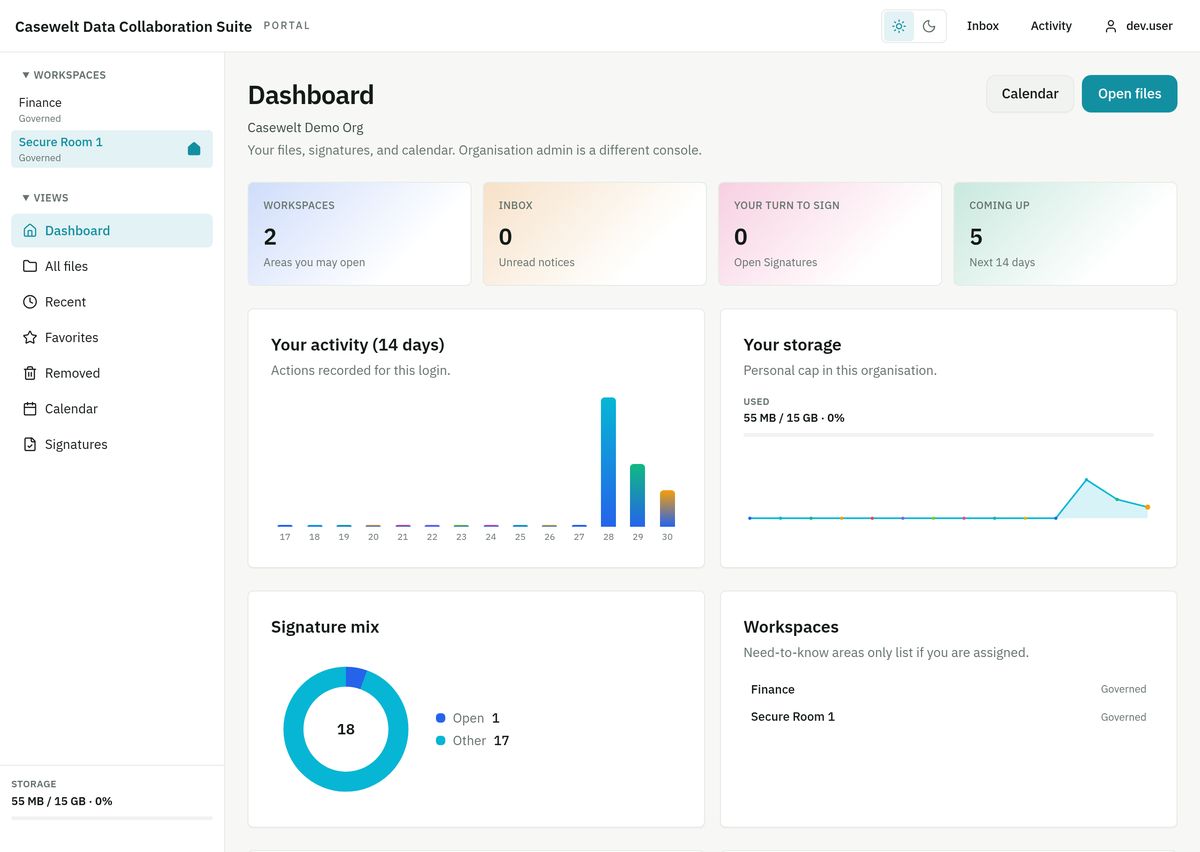
Casewelt portal dashboard

Platform

Work, share, keep and prove on the same file.

Most teams split these across separate tools. Casewelt keeps them on the same file.

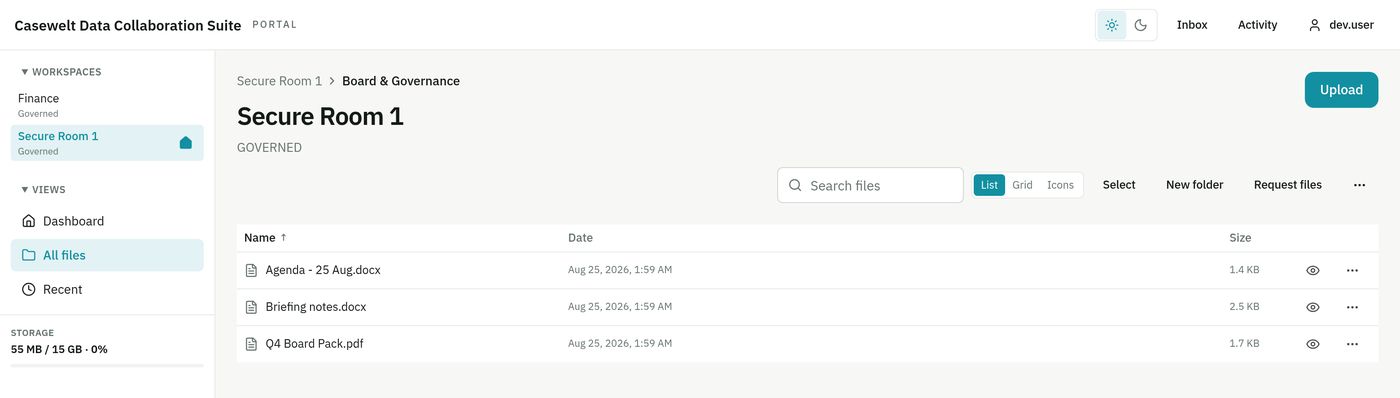
Casewelt files console

Workspaces

Folders, versions, search, comments, tasks and browser editing for Office files, in the place your team already works.

Named sharing

A person, a version, an expiry, a download ceiling and a revoke that stops the next open. Recipients never see the rest of your workspace.

Governance

Classification, retention and legal hold stay attached to the file. Early delete and blocked actions are enforced while you subscribe.

Audit & evidence

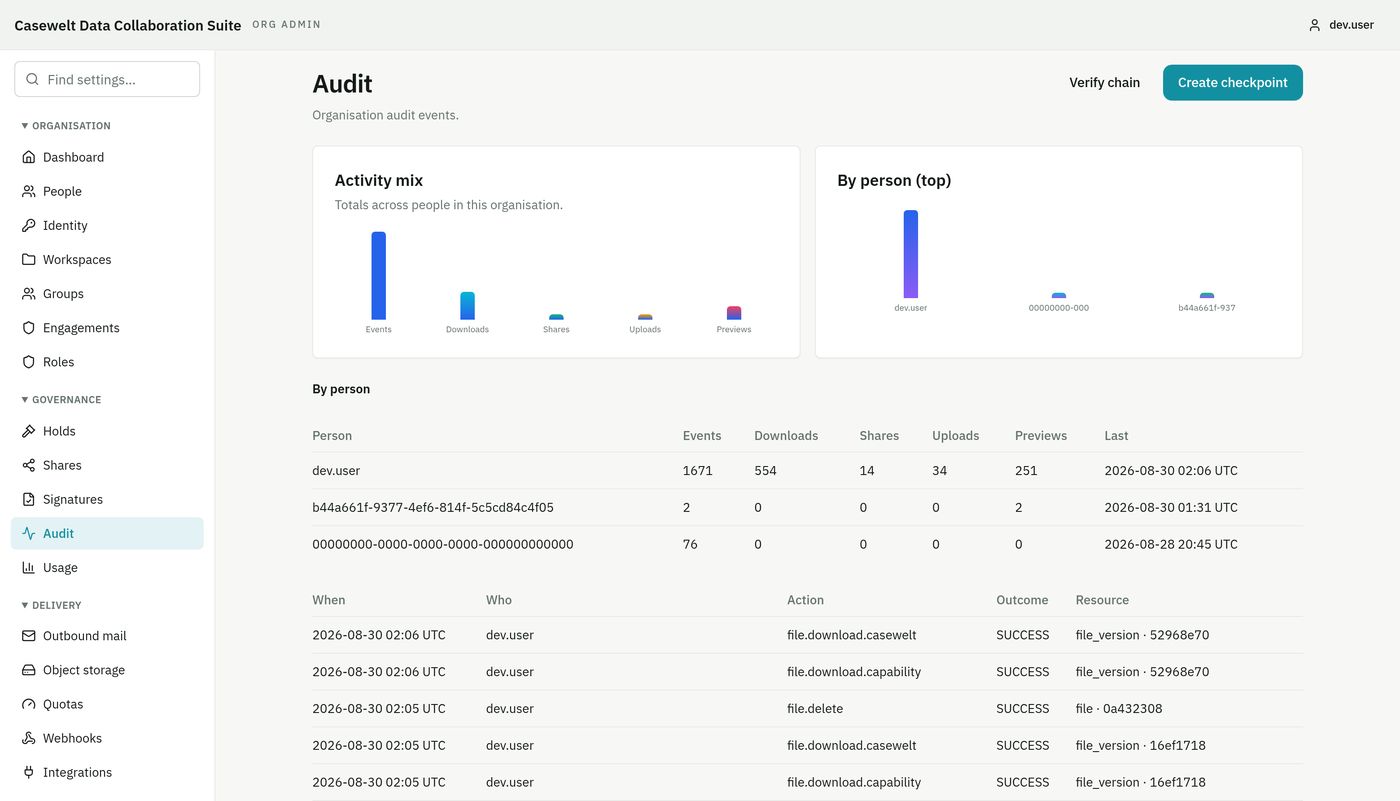
Who opened which version is a query. Export a sealed evidence package when a screen is not enough.

Casewelt organisation audit view

Data protection & governance

Practical controls for GDPR-conscious content handling.

Casewelt provides the technical controls organisations use to put their data protection decisions into day-to-day practice.

Access by person and action

Named recipients, mailbox verification, roles and policy checks help limit access to the right person, file, version and action.

Retention and defensible deletion

Classification, retention schedules and legal hold make lifecycle decisions explicit. Early or blocked deletion attempts remain visible.

Accountability and evidence

Search by person, file, version and outcome. Audit records and evidence exports help demonstrate what happened without rebuilding the story from inboxes and server logs.

Security and data boundaries

Per-version encryption, revocable sessions, regional placement controls and customer-managed key options help keep sensitive content inside defined boundaries.

Clear scope: Casewelt supports GDPR-aligned information governance; no software can make an organisation GDPR-compliant on its own. Your lawful basis, policies, retention decisions and operating procedures remain part of the assessment.

Lifecycle

How a file moves.

  • Create
  • Classify
  • Share
  • Verify
  • Open
  • Revoke
  • Retain
  • Hold
  • Audit
  1. 01

    Create

    Someone adds the pack to a workspace. It gets a version number; the record shows who put it there.

  2. 02

    Classify & share

    Your labels stay on the file. A named share pins a version, expiry and mailbox proof, or policy refuses the share and records why.

  3. 03

    Open, revoke, retain

    Opening is checked against the exact version. Revoke stops the next open. Retention and legal hold refuse early delete while you subscribe.

  4. 04

    Audit

    Months later, who saw which version is answered from the system that made the decision.

board-pack-q3.pdf · v4
Classification    Legal
Retention         7 years
External share    named recipient only
Recipient         auditor@example.com (mailbox verified)
Version           pinned to v4
Expires           14 days
Download limit    2
Legal hold        active
Delete            refused while hold is on

Collaboration

Share the document. Not the workspace.

External work without employee accounts. Inbound requests without opening the rest of the folder tree.

A Casewelt share is made out to a named person, points at the version you approved, expires on a date you set, and can be pulled back without touching anyone’s staff access.

Recipients open it on a separate page. They never get an account, and they never see the rest of your workspace.

  • Named external recipients with mailbox verification
  • Inbound file requests into the right folder
  • Signatures on the same file, filed as a new version
  • Policy that can allow read and refuse send-outside
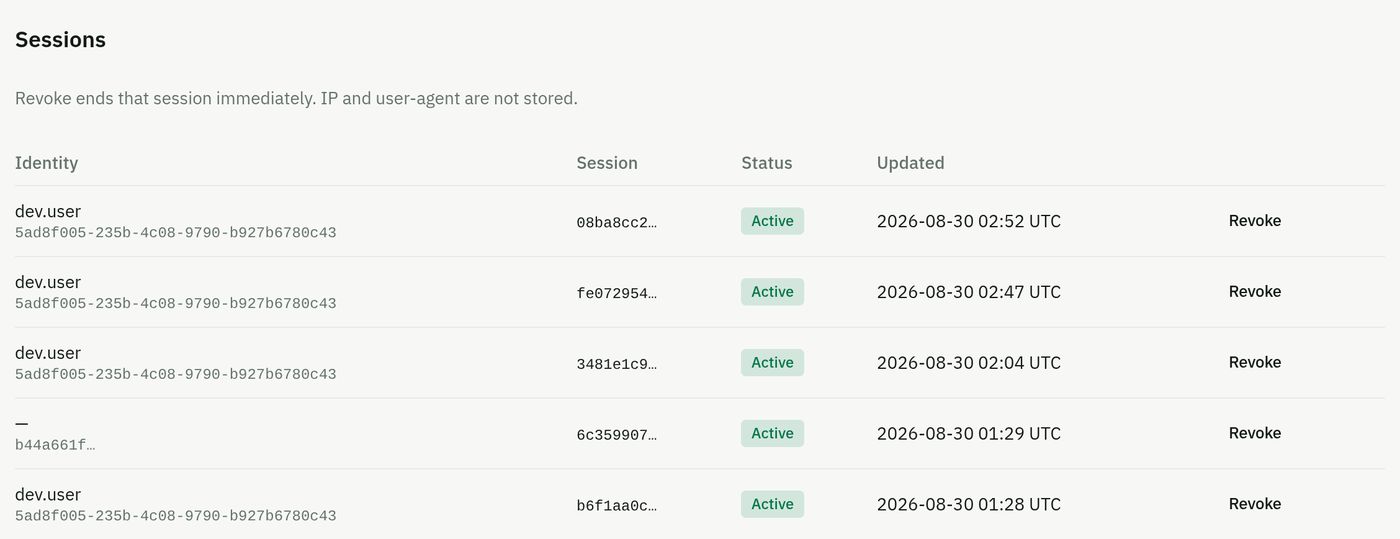
Casewelt people and access

Scenarios

Typical situations.

Board

Board & executive

Get the board pack to two external auditors for a fortnight, without giving them a way into anything else.

Legal

Legal hold & signatures

Freeze a contract when a dispute starts, send the same file for signature, and show later that nothing was removed while the hold was on.

Ops

Supplier intake

Ask for a file back into the right folder. The request expires. The supplier sees nothing else. Quota still applies.

Team

One person, or a firm

Work alone on Personal, or as a team on an organisation host with SSO, roles and an API.

Security

Policy on the action, not just the login

Read can be allowed and send-outside refused on the same person and file, and the decision is recorded as policy.

Evidence

Answer who opened it

Search the product record. Open an investigation. Export a sealed evidence package when a screen is not enough.

Organisation

Organisation controls.

People, groups, roles, your own sign-in, hostname, branding and storage, plus API and signed webhooks on Business and above.

  • SSO through your identity provider
  • Documented HTTP API
  • Signed webhooks
  • Separate machine credentials
  • Customer-managed keys available
  • SIEM-consumable events

FAQ

Questions about Casewelt.

Do recipients get workspace access?

No. Named shares open on a separate page. Recipients never get an employee account and never see the rest of the workspace.

Can we use our own identity provider?

Yes. Single sign-on through your identity provider is available on Business and above.

How do we get a demo?

Send a short note with one sensitive-content workflow. We walk access, sharing, lifecycle and audit on that path.

Next step

Show us one workflow you care about.

We’ll walk access, sharing, lifecycle and audit on that path. Full product detail is on casewelt.com.